 Cuepoint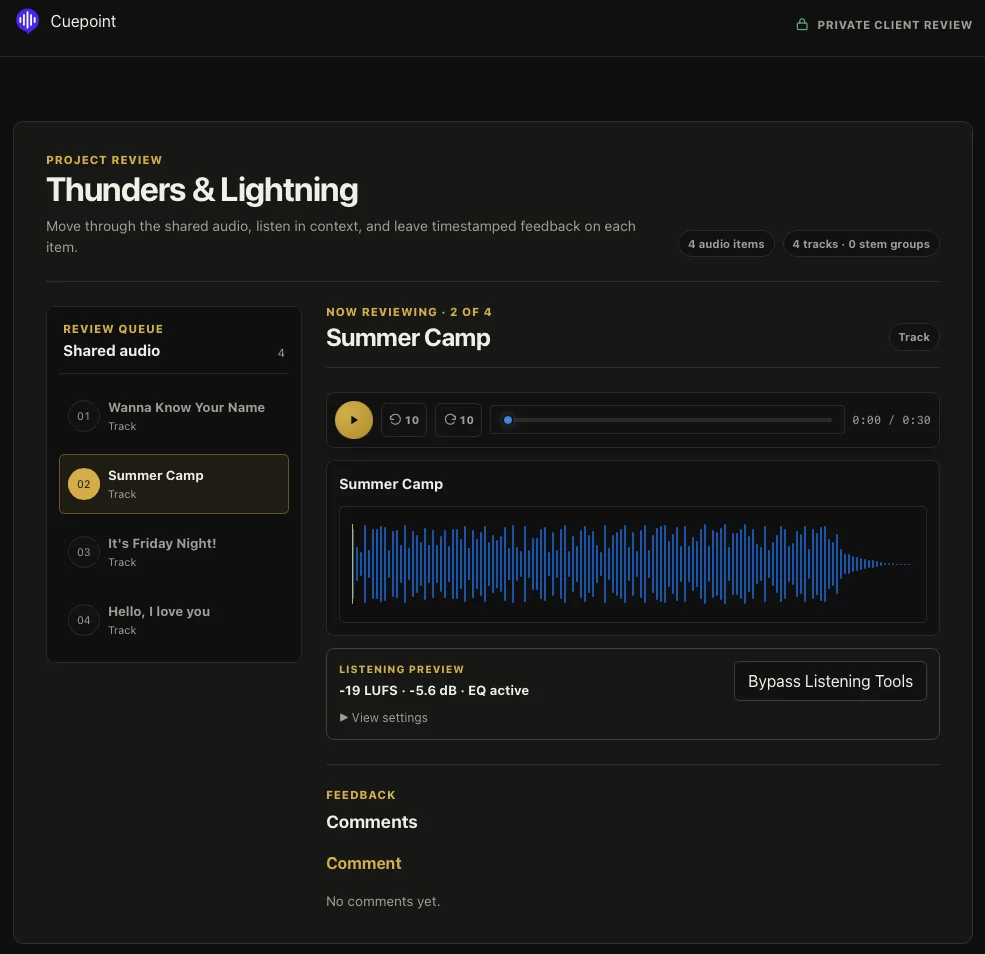
Why audio feedback becomes scattered
A review often starts with a file transfer, continues in email, moves to a messaging app, and ends with a voice note. None of those tools is individually wrong. The problem is that the audio, the timestamp, the reply, and the latest version live in different places.
The producer then becomes a coordinator: matching “around the second chorus” to the timeline, checking whether a comment refers to mix two or mix three, and combining contradictory notes into a usable revision list.
Choose one review location
Send the audio through one place designed to remain the source of truth for that review. Clients should be able to open it in a browser, press play, and comment without installing production software or learning the internal project structure.
Keep chat and email for the invitation, not the detailed notes. A simple instruction works well: “Please leave all audio notes on this review page so every comment stays attached to the current mix.”
Share one clearly identified version
Do not ask the client to compare several unexplained files. State which version is current and what changed. If comparison is necessary, frame it around a question such as “Does the vocal remain clear in the last chorus now?”
That short context prevents the client from reopening decisions that were already made or commenting on an older attachment.
Ask for timestamped observations
A timestamp turns a reaction into something the producer can locate immediately. Encourage clients to add what they hear and what they want the moment to achieve. They do not need to use engineering language.
“1:42 — the first word of the chorus is hard to understand. Can the lyric feel more present here?”
This is more useful than “turn the vocal up,” because it identifies both the moment and the listening outcome. The mixer can decide whether level, masking, automation, or something else is responsible.
Give the review a finish line
Feedback expands when nobody knows what happens next. Include a deadline and a decision: collect one complete round of notes, produce the revision, then ask whether the new version is approved or still needs changes.
If several stakeholders are involved, name one person who consolidates conflicting creative direction. Everyone may contribute observations, but the producer should not be expected to resolve a disagreement about the brief.
Separate discussion from approval
A comment such as “sounds good” is encouraging, but it is not always sign-off. Close the loop with an explicit decision. “Approved” means the client accepts the current audio. “Needs changes” means another revision is expected, ideally with the remaining notes attached.
This distinction protects both sides. The client can see what they accepted, and the producer knows whether to keep working or prepare delivery.
How Cuepoint supports the workflow
Cuepoint keeps browser playback, timestamped comments, replies, revisions, and review decisions around the same audio. Pro members can create a focused client preview link for a track or project, optionally protect it with a password, and let guests comment without joining the internal workspace.
The tool should support the process rather than become the process. Keep the invitation short, ask one focused listening question, and make the next decision visible.
Give clients one clear place to respond.
Use Cuepoint to keep the audio, exact notes, and approval together.
Start free