 Cuepoint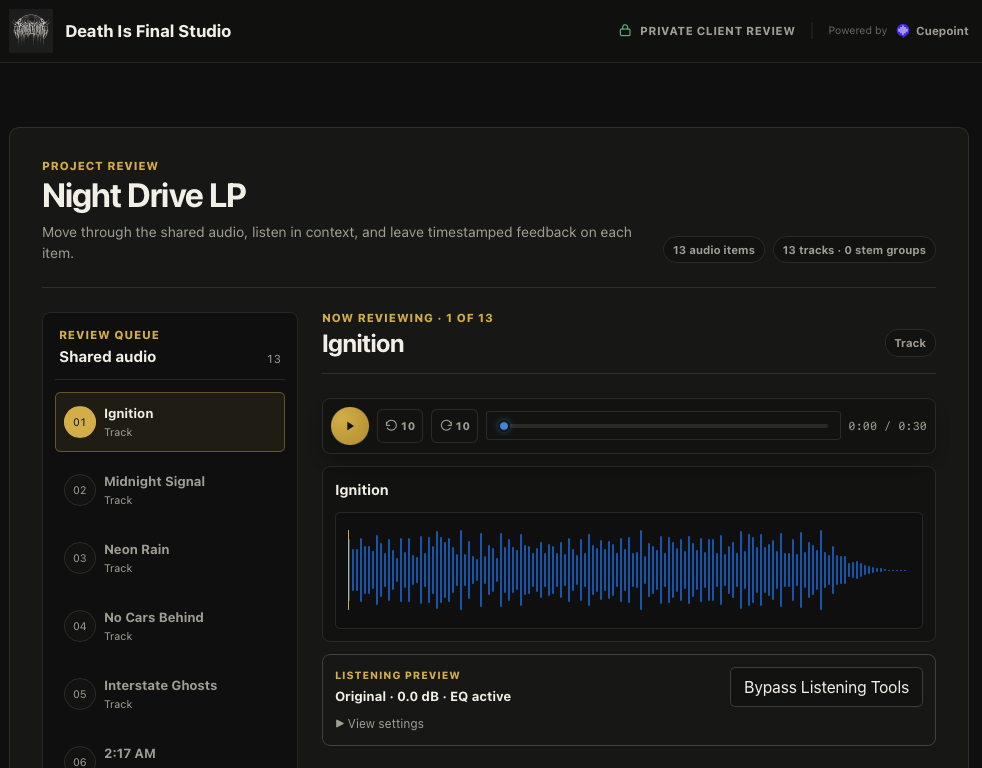
Your identity now leads the handoff
A review page is often the first place a client encounters a new mix outside a message thread. It should feel like part of your service, not a generic file-delivery step. Cuepoint Pro now lets you place your studio or producer name and logo in the header of private client review pages.
The custom identity replaces the main Cuepoint wordmark on the review itself. The page still keeps a discreet “Powered by Cuepoint” link, while your name and artwork receive the primary position. The result is recognizably yours without adding visual noise around the music.
Why branding matters during review
Clients move between email, messaging apps, cloud folders, and streaming links throughout a project. A familiar identity reassures them that they have opened the right review and reinforces the connection between the work and the person or studio responsible for it.
That continuity is especially useful when several stakeholders receive the same link. Everyone sees the same name, the same logo, the same current audio, and the same focused place to leave feedback. Your brand frames the experience, while the track, comments, and decisions remain the main event.
Set it once in Review page branding
Open your account settings and find Review page branding. Enter a studio or producer name, choose a logo, and check the live preview before you save. You can use the name on its own, the logo on its own, or combine both.
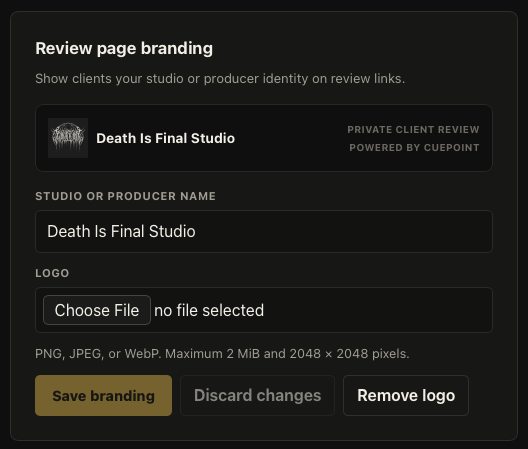
The settings accept PNG, JPEG, or WebP images up to 2 MB and 2048 × 2048 pixels. Cuepoint preserves the logo’s proportions and sizes it to fit the review header, so both wide wordmarks and compact marks can sit comfortably beside your name.
Changes stay in the preview until you select Save branding. If the combination does not feel right, Discard changes returns to the saved version. You can also remove the current logo without clearing the studio or producer name.
What your clients will see
On an available, unlocked review page, the custom identity appears at the top beside the “Private client review” label. Beneath it, the familiar Cuepoint review workflow remains unchanged: clients can move through shared audio, listen in context, add timestamped feedback, and make review decisions.
If you have not saved custom branding, the standard Cuepoint header remains in place. Access screens such as password entry and unavailable-link states also keep the standard header, so your identity is shown only after the client has reached the review.
A simple branded review workflow
- Add the studio or producer name clients already recognize.
- Upload a clear logo with enough contrast for a dark header.
- Use the preview to check the combined identity before saving.
- Open a client link in a private browser window and verify the complete handoff.
- Send the link with a short brief explaining what changed and what decision you need.
Branding should create confidence, not compete with the mix. A concise name and a legible mark are usually enough. Once the client presses play, Cuepoint keeps the feedback attached to the audio and the conversation focused on the work.
Make the review page feel like yours.
Add your logo and studio or producer name to private client reviews with Cuepoint Pro.
Start free